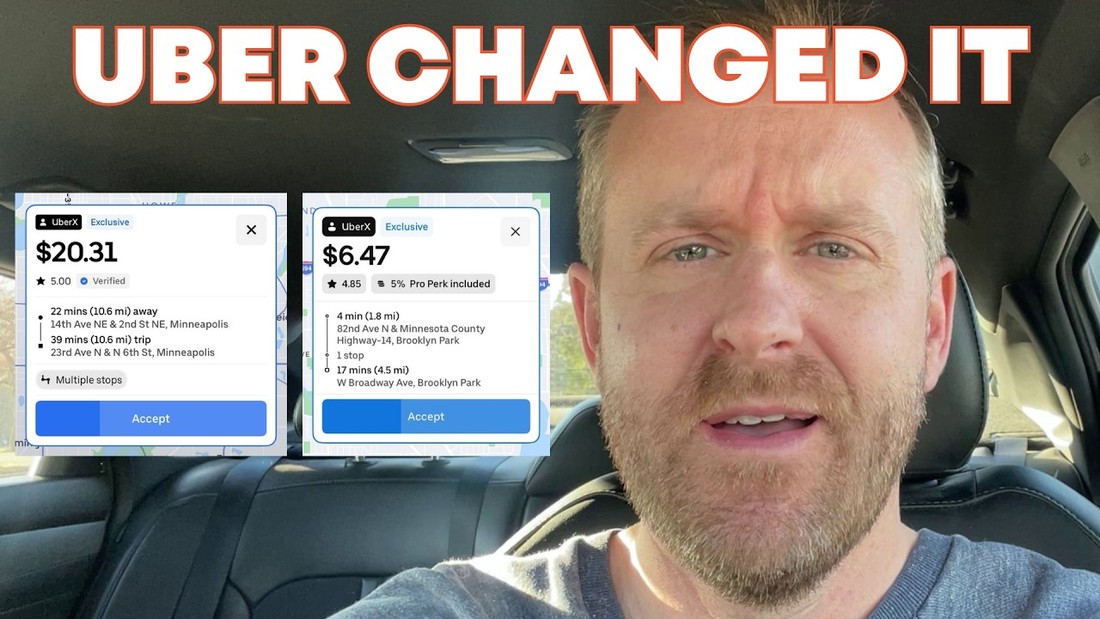
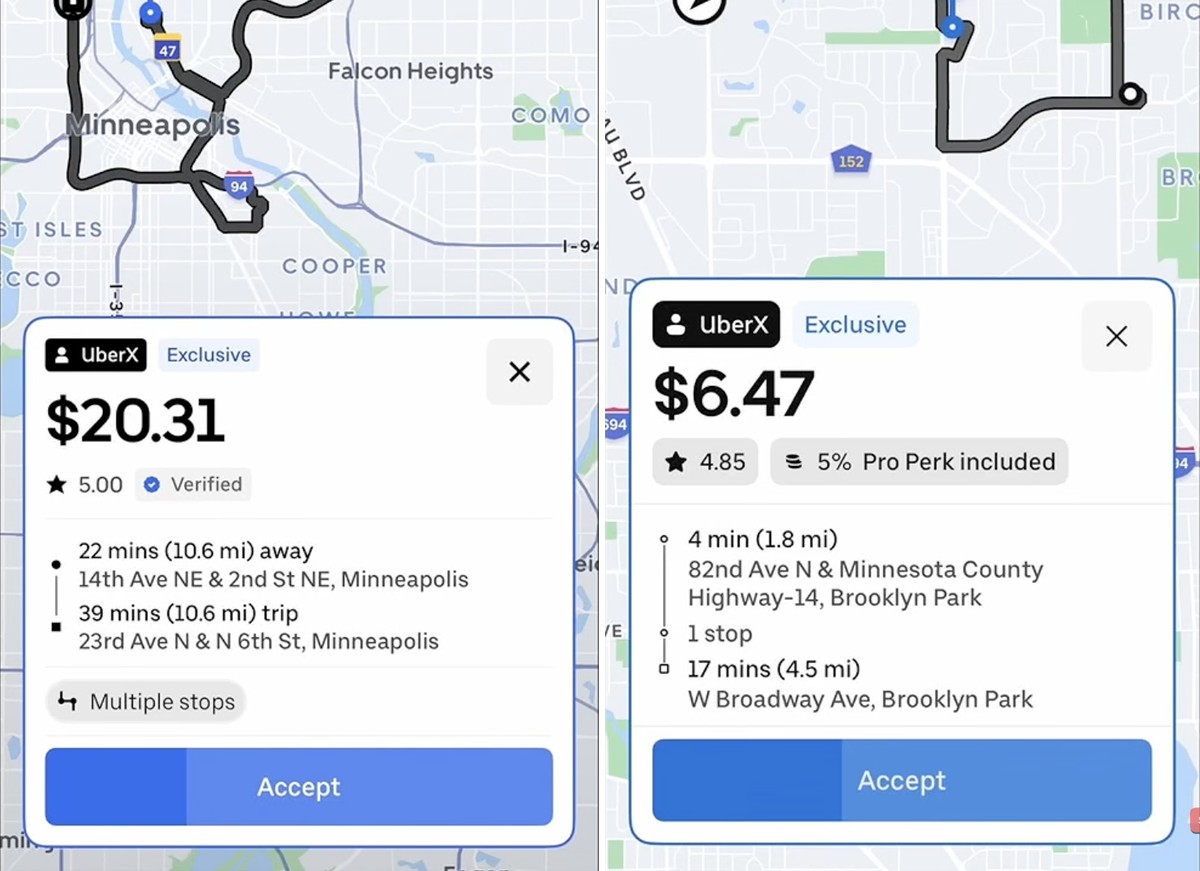
If you decline rides with stops, pay attention. Uber appears to have changed how multiple-stop requests are displayed on the driver accept screen, and the old, obvious warning is gone. Rideshare Guy contributor Joe noticed it and put the old and new screens side by side.
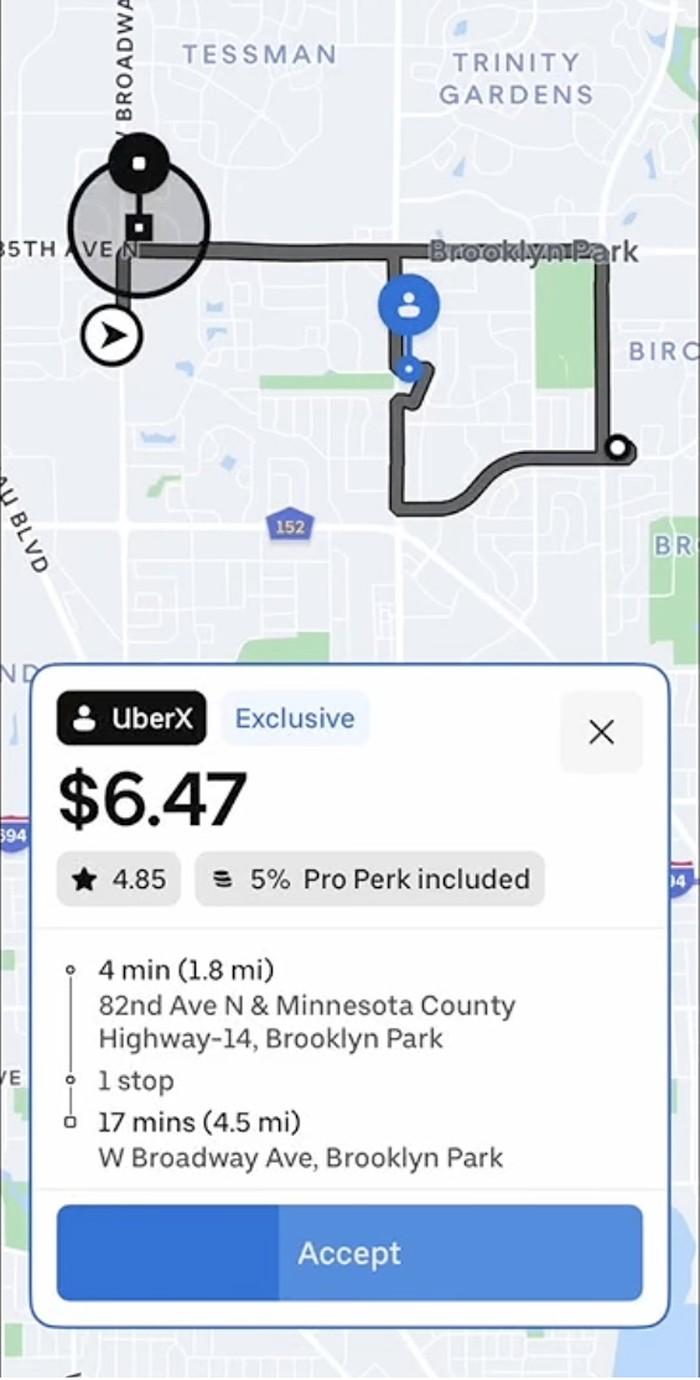
For years, a request with stops came with a clear “Multiple stops” tag right above the Accept button. Now that tag is missing, and the only clue is a small line of text between the pickup and drop-off addresses.
What Changed
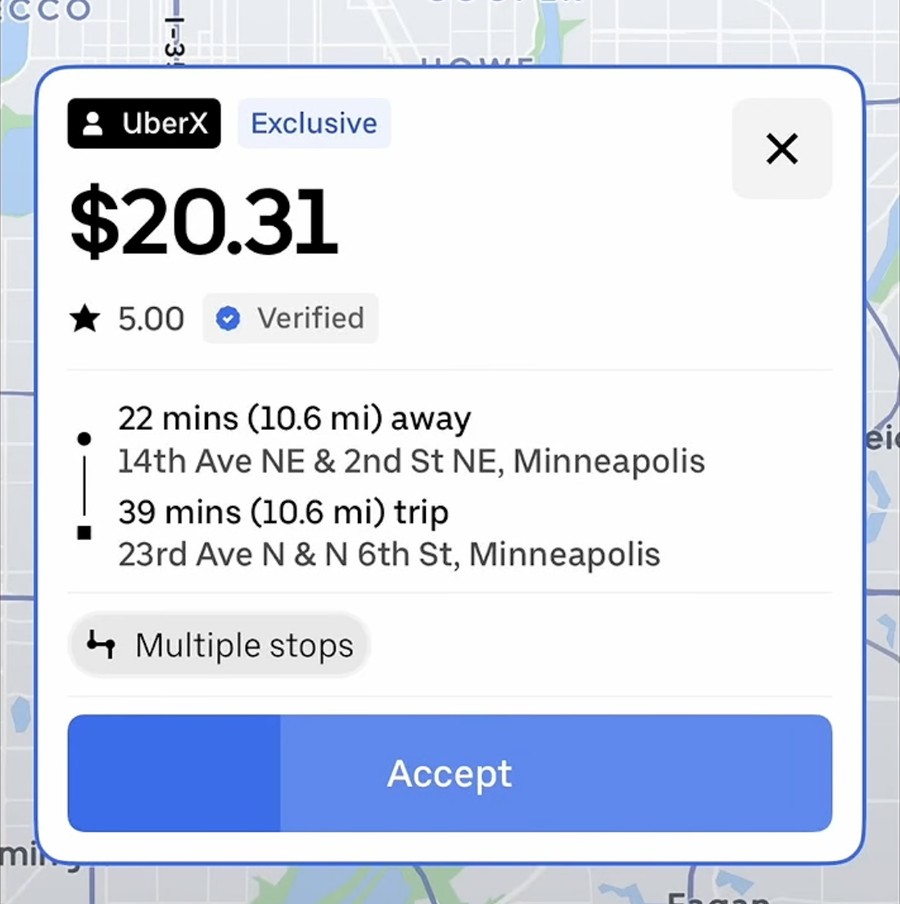
Take a look at the old screen. A $20.31 UberX request shows a 22-minute pickup and a 39-minute trip, and right above Accept is a gray “Multiple stops” tag. You cannot miss it.
Now look at the new screen. A $6.47 UberX request still shows the stop on the map, and the text between pickup and drop-off says “1 stop.” But the tag is gone, and that small text is easy to skim right past when you are making a quick accept-or-decline decision.
Why It Matters
Joe says he declines almost all requests with stops, especially the short round trips. In his opinion, riders do not respect drivers’ time enough, and stops have always been a problem. Without upfront information, he says he used to get extremely annoyed when he started a trip and only then found out it had stops.
When Uber added upfront information to the accept screen, the multiple stops tag fixed that. Now he says he has been trained to accept or decline requests so quickly that he noticed the change intuitively but could not pinpoint it until he took a screenshot and studied it. He admits he has already accepted a few requests with stops without realizing it. They were desirable requests he would have taken anyway, but he wants to be the one making that call.
How to Spot a Stop Now
First, check the map. The stops still show up there. Second, read the text between the pickup and drop-off locations, because that is where Uber now notes “1 stop.” Third, compare the duration and the mileage. Joe says he can often tell a ride has a stop because the two do not match well, like a 15-minute trip that is only 2 miles.
Why Would Uber Do This?
Joe’s guess is that Uber made the change so drivers accept more requests with stops. That is his assumption, not something Uber has said. Either way, he calls the old screen great and clear, and thinks the new one has probably confused and annoyed a lot of drivers.
Your Turn
When did you first notice the new screen? Did you still recognize stops by the map alone, and did you notice the “stop” text between the pickup and drop-off addresses? Let us know in the comments.
Watch the full video:
Transcribed from a video by Joe at The Rideshare Guy.
Be Safe Out There.